Ever noticed how most of the commercial Android emulators are seemingly stuck at KitKat? Sure, there are a few that run higher like YouWave 5.1, Genymotion, BlueStacks N, etc. but they all use VirtualBox and, as we have found out, VB sucks when you compare it with the big players. So you’re better off with making your own emulator. “How” you ask? Well that’s what we’ll be covering today!
If you don’t know the wonderful people at Android x86 –who are the real spirit behind all the commercial folk- go there and check ‘em out. Anyway, what’ll we will be doing today is installing Android on a VMware Workstation VM (FIY: VMware > VirtualBox 🙂 ), but if you have a slow PC (2GB> RAM, Old CPU etc.) go with installing Android on your native hardware, it’ll be lots faster than running a VM on that junk. By the way; all the commercial emulators are really Android VMs anyway, so you’ll be installing a better version of Android than those emulators ;-).
However there are a few prerequisites before you make an Android Emulator. You’ll need a processor capable of hardware virtualization (Intel VT-x / AMD-V), a host PC with 3GB or more RAM, 20GB free disk space (a desktop with multiple drives (or an SSD) or a laptop with an SSD is recommended), VMware Workstation Player or (VMware Fusion if you’re a Mac user), a (32-bit) distro of Android x86.
When you get VMware Fusion or Player: the latest version 14 (Player) or 10 (Fusion) requires a Sandy Bridge (Intel Core-i 2nd Gen or better) OR AMD Bob Cat or better processor. If your machine doesn’t meet these requirements, you’ll have to use Player 12 or Fusion 8 instead.
|VMware Workstation Player |14| |12|
|VMware Fusion |10| |8|
Picking a good, stable distro of Android x86 is of paramount to the success of this mission. If you would like to pick manually, keep in mind that you’ll need to pick one that is stable (in “Release” stages), and has proper hardware acceleration features. But to make your life painless, I’ve picked the best ones for you (all these are 32-bit (except the PhoenixOS one) ISO installation images):
|PhoenixOS 1.5 (Android L 32-bit) | PhoenixOS 3.0 (Android N 64-bit)|
Now that you’ve gotten all you need, let’s start. First, install the VMware product. Next, check whether you have an SSD, and check how many disk drives you have (by going to DiskManager), if you have no SSDs but have more than one Hard Drive or if you’ve got one SSD, you’ll see some major performance perks. But if all you’ve got is one Hard Drive, you may attempt to make the emulator, but keep in mind that speeds will decrease.
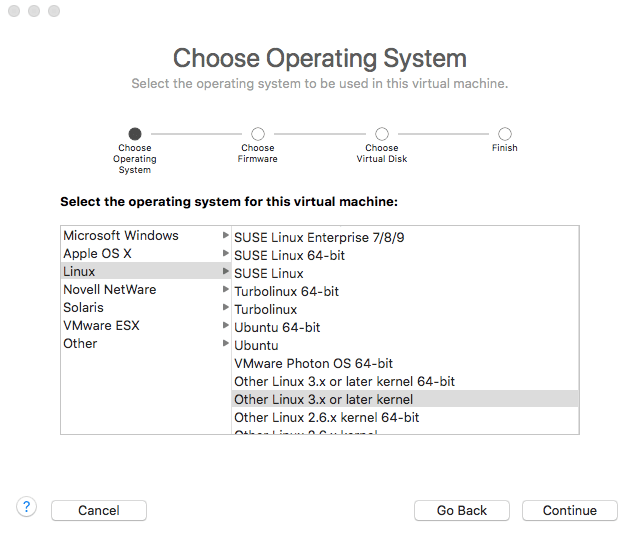
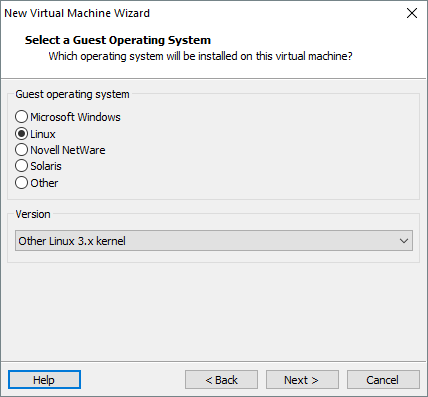
Open VMware Player/fusion and create a VM with the following characteristics: Guest OS “Linux 3.x kernel”,
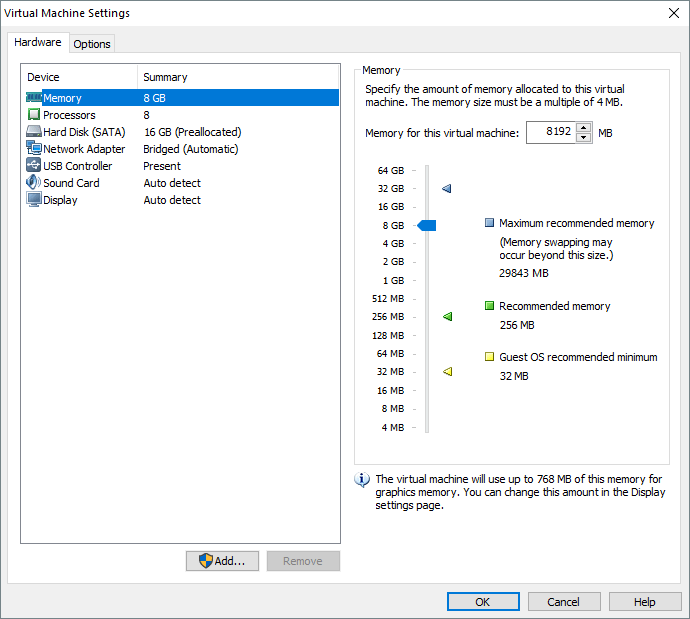
1.5GB-5GB RAM (As a rule of thumb, leave at least 1.5GB of RAM for the host operating system and allocate the remaining amount to the VM),

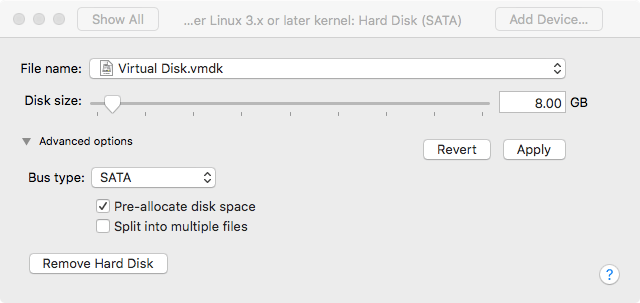
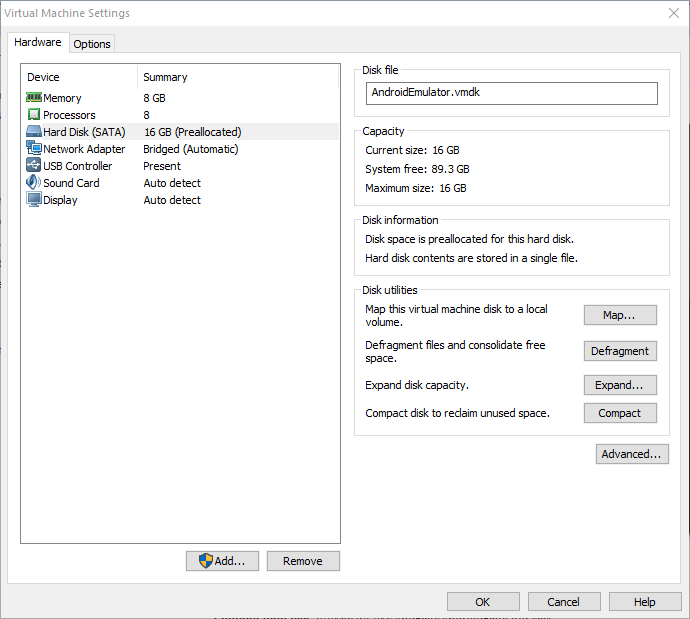
16GB (Pre-Allocated) SATA Drive (if you happen to have multiple hard disk drives, place the image in a non-system drive OR on an SSD if you have one. But never on an external hard drive, unless you use a Thunderbolt port),
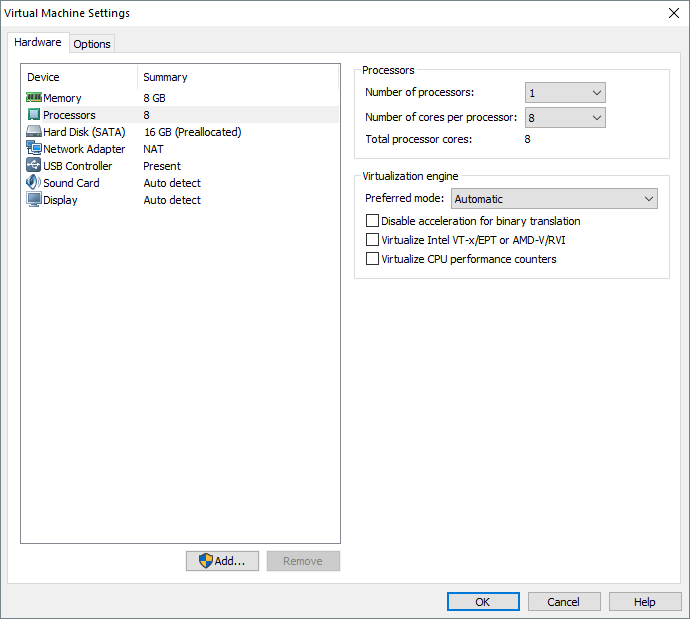
2 or more Cores/Threads (the core count is really not a problem, the more the merrier! Just make sure you leave at least one Core/Thread for the host OS. Since most newer PCs have 2 Cores (and at least 4 logical cores/threads thanks to HyperThreading), allocate 2 Cores to the VM).
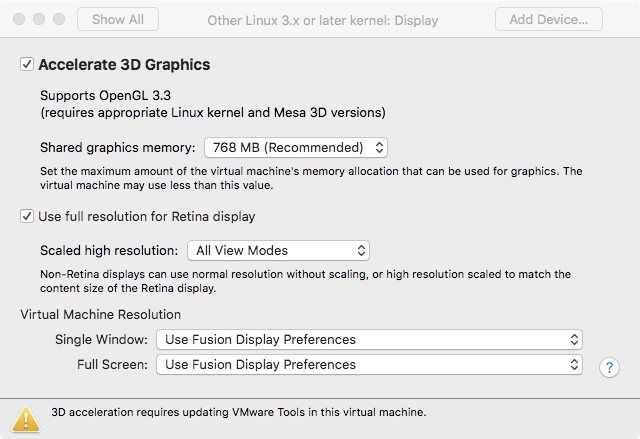
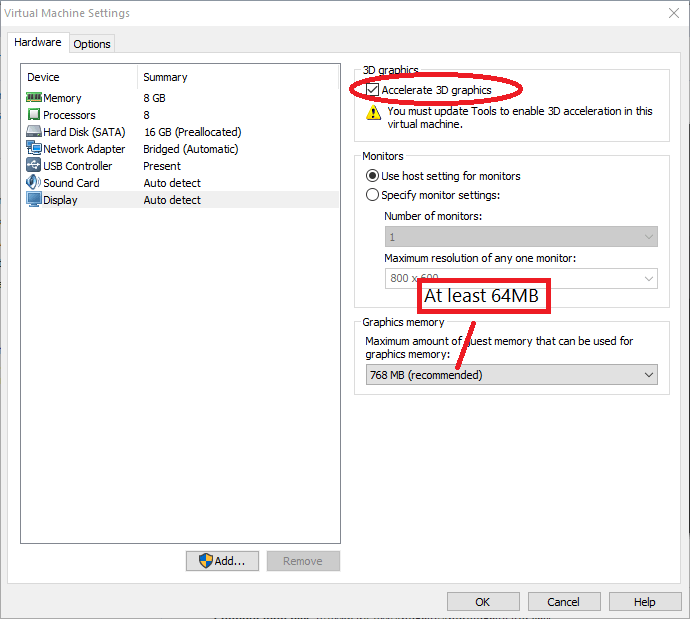
Once you create the VM, head over to display and enable “Accelerated 3D Graphics” and assign 64-256MB of “Graphics Memory”.
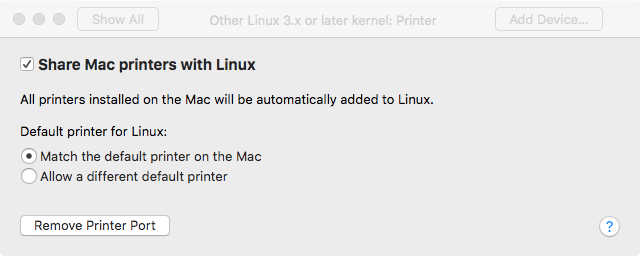
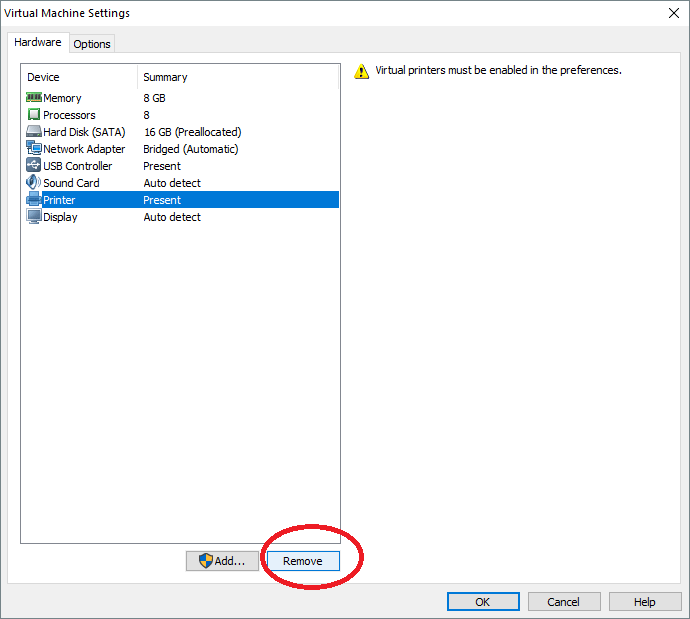
Remove the printer.
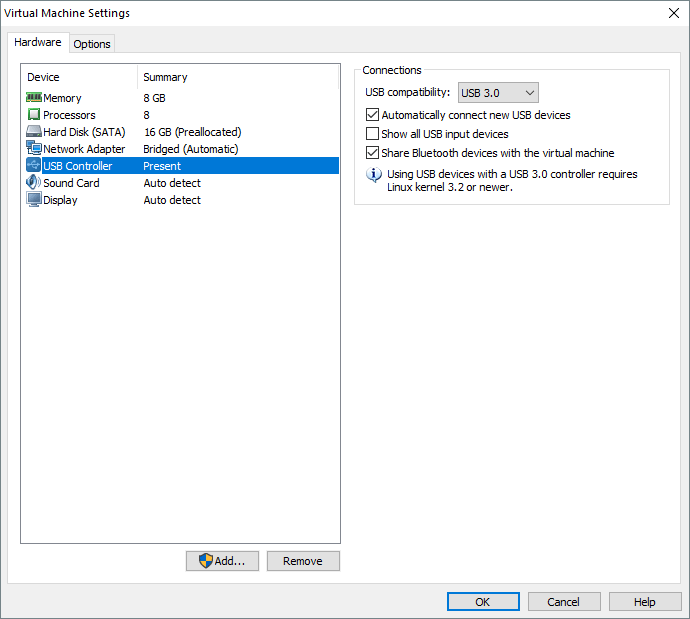
Set USB driver to “USB 3.0”
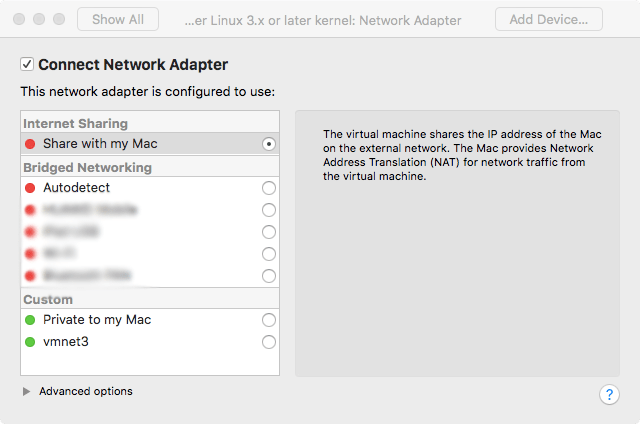
Set network adapter to NAT (for Internet access) and set it to “Connected at power on”

Attach the Android x86 ISO, power-on the VM and install Android x86 according to the instructions here. But remember not to select “Run Android x86” and instead select “Reboot”. When you reboot to the GRUB screen, power off the VM.
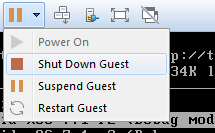
Remove the CD Drive from the VM. And power it on. You may switch to full screen mode. After a few minutes you’ll be presented with the setup screen. Go through the setup normally.
When you are greeted with the Android home screen, you’ll know it’s all done! Enjoy 🙂
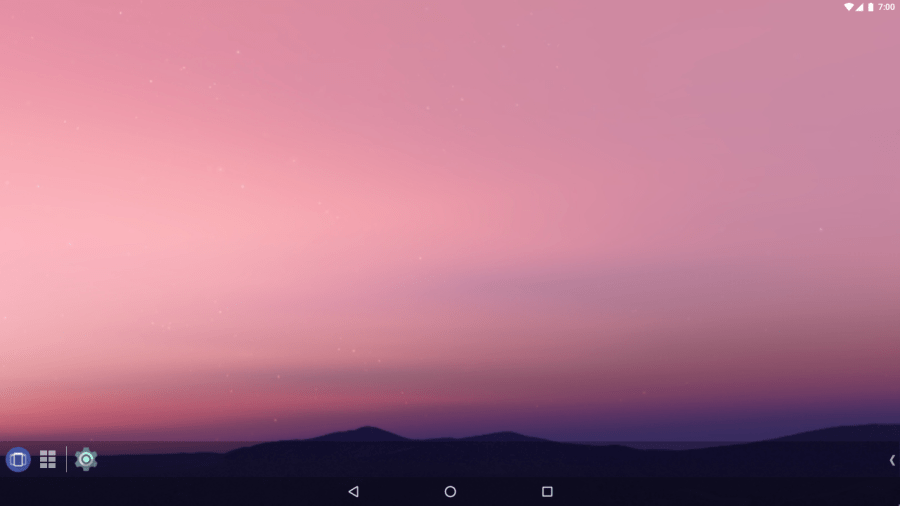
In order to maximize performance, boost productivity and enjoy the damn thing, you may follow these steps.
Get/Enable Taskbar (if you’re using Android 6.0.1 or CM 13.1) and enjoy desktop-like Android computing (with windows and stuff).

There is no shutdown button in AOSP android, so Taskbar’s “Power Menu” will come in handy when turning it off.
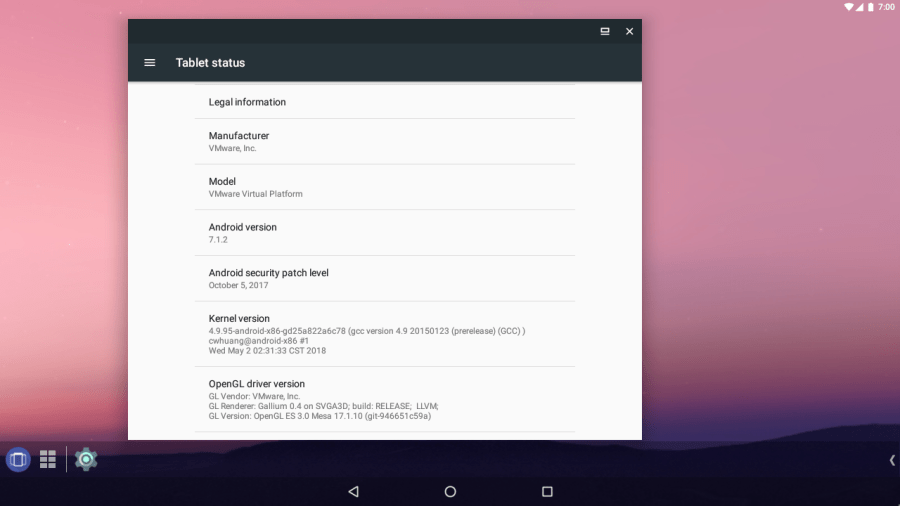
Go to “About” and see if graphics are accelerated (if there’s anything except “null” and “SwiftShader” in GL Renderer, you’re set).
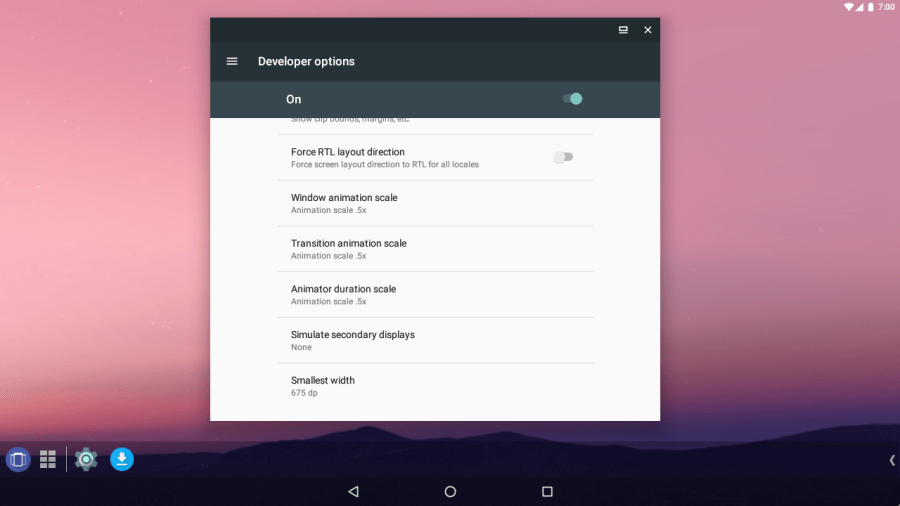
Enable “Developer Options” and lower or disable animations.
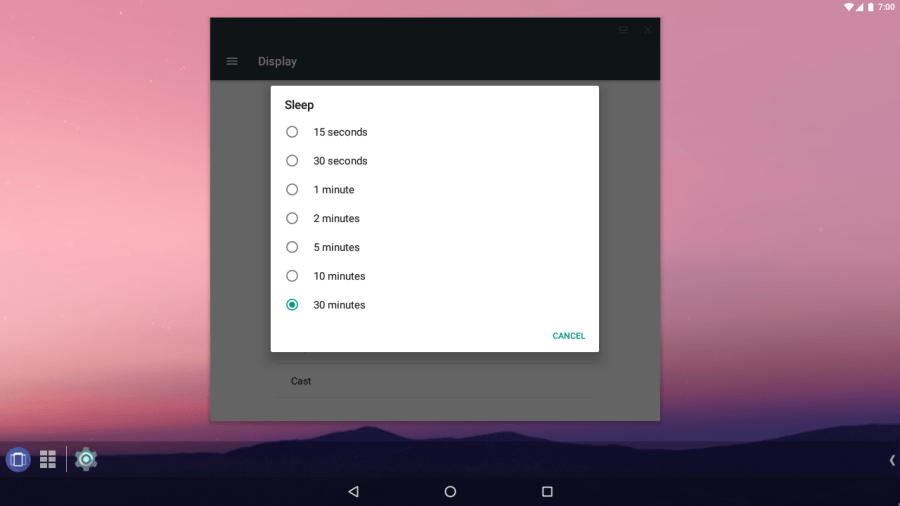
Set the screen timeout to 30 minutes to avoid unwanted sleep in the VM.
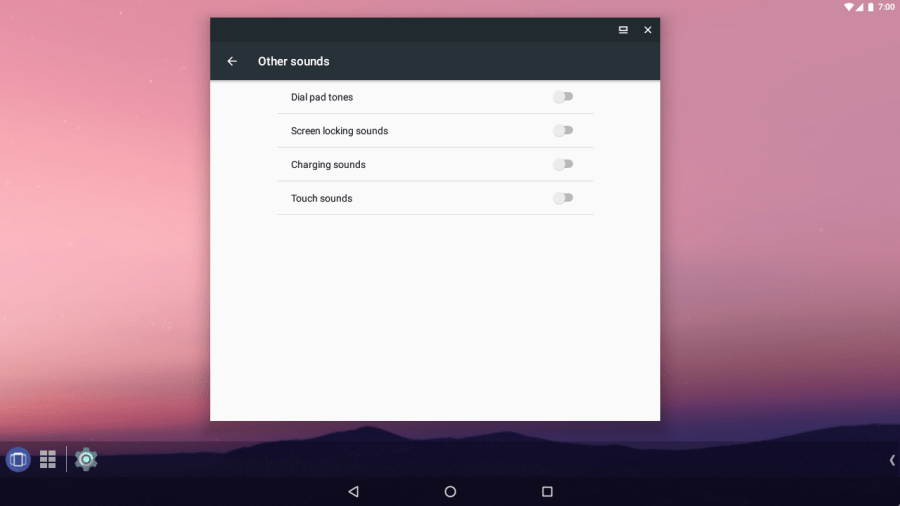
Disable “Other Sounds”.
Obviously you won’t be making any calls with your VM. Disable useless apps.
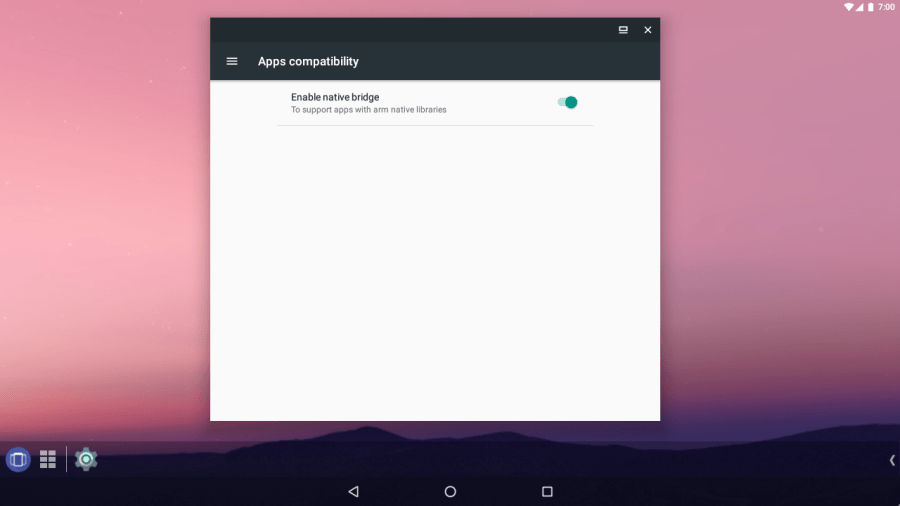
Enable “Native Bridge” to run apps with ARM Native Libraries (Settings > App Compatibility).
Use ADB to install APK files. Here’s how to make ADB work in a VM.
Install Greenify and hibernate apps frequently to avoid performance issues.
EXTRA
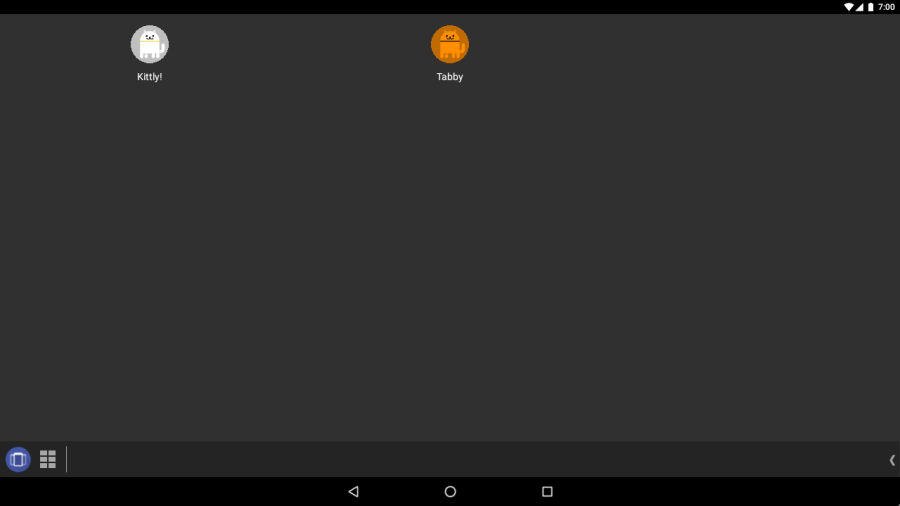
If you used Android N (7.0), and you’re a cat person, enable the “Neko Land” easter egg. Go to settings and tap on Android Version until an “N” appears.
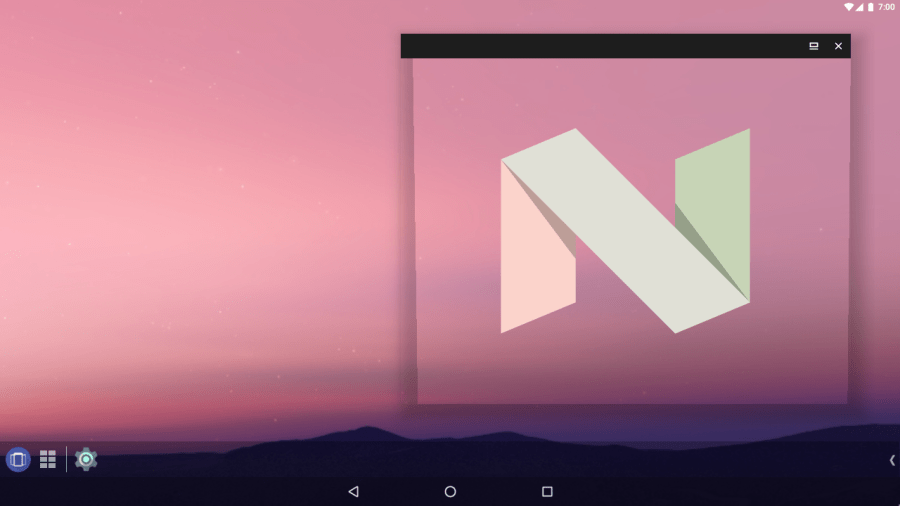
Tapping it a few times and then pressing ad holding it will bring up a small cat. A widget will appear with an empty dish (in the pull-down panel or as a launcher widget). You can tap that dish and keep “food” in it.
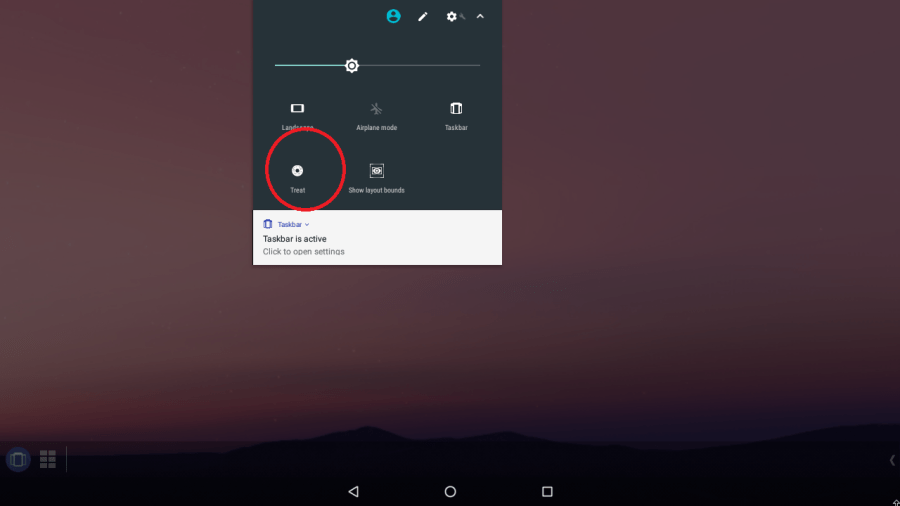
After a while, a cat will come to eat the food. There are hundreds of cats to find!
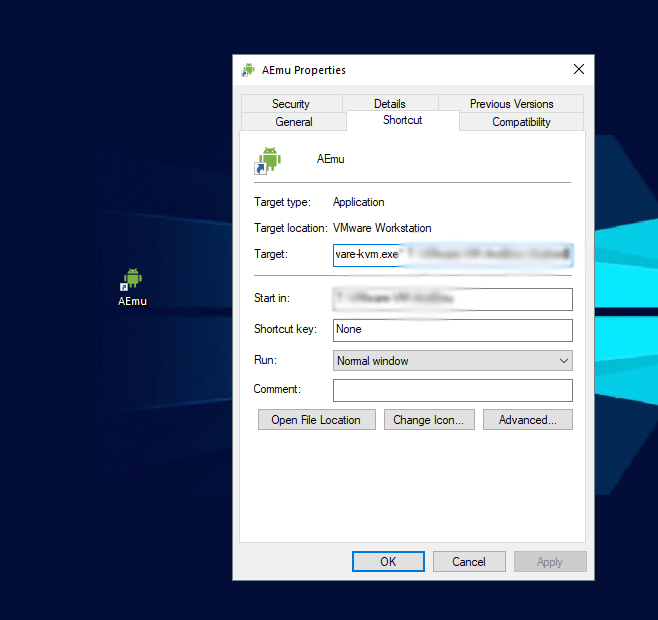
Windows users may create a shortcut of the VM and launch it with VMware KVM (Included with Player) to simplify the whole launch-a-VM thing.

 Help Ahoy!
Hi, i think that i saw you visited my blog thus i came to “return the favor”.I am trying to find things to improve my site!I suppose its ok to use some of your ideas!!|
LikeLike
If you would like to increase your knowledge just keep visiting this web site and be updated with the hottest news posted here.|
LikeLike
This is my first time go to see at here and i am in fact happy to read all at single place.|
LikeLike
“Pretty nice post. I just stumbled upon your weblog and wanted to say that I have really enjoyed browsing your blog posts. After all I’ll be subscribing to your feed and I hope you write again soon!”
LikeLike
hi!,I really like your writing very a lot! percentage we keep in touch extra about your post on AOL? I need a specialist on this house to resolve my problem. Maybe that’s you! Taking a look ahead to peer you. |
LikeLike
I’m not sure where you’re getting your info, but great topic. I needs to spend some time learning much more or understanding more. Thanks for magnificent information I was looking for this information for my mission.|
LikeLike
This information is invaluable. Where can I find out more?|
LikeLike
Howdy! This post couldn’t be written any better! Reading through this post reminds me of my old room mate! He always kept chatting about this. I will forward this post to him. Pretty sure he will have a good read. Thank you for sharing!|
LikeLike
Hi there, this weekend is nice for me, as this moment i am reading this impressive educational article here at my home.|
LikeLike
Hi there! Someone in my Facebook group shared this site with us so I came to check it out. I’m definitely loving the information. I’m bookmarking and will be tweeting this to my followers! Terrific blog and outstanding style and design.|
LikeLike
I am really loving the theme/design of your blog. Do you ever run into any browser compatibility issues? A small number of my blog visitors have complained about my blog not working correctly in Explorer but looks great in Opera. Do you have any solutions to help fix this issue?|
LikeLike
Someone necessarily assist to make critically posts I would state. This is the first time I frequented your website page and so far? I amazed with the research you made to create this particular publish extraordinary. Fantastic job!|
LikeLike
It is not my first time to go to see this web page, i am visiting this web page dailly and obtain good facts from here daily.|
LikeLike
Excellent post. I was checking continuously this weblog and I’m inspired! Extremely useful information particularly the closing part 🙂 I maintain such info much. I was looking for this particular information for a long time. Thank you and best of luck. |
LikeLike
Thanks designed for sharing such a good thinking, piece of writing is fastidious, thats why i have read it entirely|
LikeLike
Excellent blog here! Also your website loads up very fast! What host are you using? Can I get your affiliate link to your host? I wish my web site loaded up as fast as yours lol|
LikeLike
Spot on with this write-up, I truly feel this amazing site needs much more attention. I’ll probably be back again to read more, thanks for the information!|
LikeLike
Helpful information. Lucky me I discovered your site by accident, and I’m stunned why this accident didn’t came about earlier! I bookmarked it.|
LikeLike
I don’t even know how I ended up here, but I thought this post was good. I do not know who you are but definitely you’re going to a famous blogger if you are not already 😉 Cheers!|
LikeLike
Howdy! Do you use Twitter? I’d like to follow you if that would be ok. I’m absolutely enjoying your blog and look forward to new updates.|
LikeLike
This paragraph is really a nice one it assists new net viewers, who are wishing for blogging.|
LikeLike
I have fun with, result in I found exactly what I used to be looking for. You’ve ended my 4 day lengthy hunt! God Bless you man. Have a nice day. Bye|
LikeLike
What’s up, I log on to your new stuff like every week. Your humoristic style is awesome, keep it up!|
LikeLike
I needed to thank you for this fantastic read!! I absolutely enjoyed every little bit of it. I have you bookmarked to look at new things you post…|
LikeLike
If you wish for to improve your knowledge just keep visiting this web site and be updated with the most recent information posted here.|
LikeLike
Hey very interesting blog!|
LikeLike
Heya i am for the first time here. I came across this board and I find It truly useful & it helped me out a lot. I hope to give something back and aid others like you helped me.|
LikeLike
Heya i am for the first time here. I found this board and I find It truly useful & it helped me out much. I hope to give something back and help others like you helped me.|
LikeLike
Attractive section of content. I just stumbled upon your website and in accession capital to assert that I get in fact enjoyed account your blog posts. Anyway I will be subscribing to your augment and even I achievement you access consistently rapidly.|
LikeLike
I was able to find good advice from your articles.|
LikeLike
I am now not certain the place you’re getting your information, but good topic. I must spend some time finding out much more or figuring out more. Thank you for fantastic information I used to be in search of this information for my mission.|
LikeLike
Simply want to say your article is as astonishing. The clarity to your publish is just nice and i can assume you’re an expert in this subject. Fine along with your permission allow me to seize your feed to keep updated with drawing close post. Thanks 1,000,000 and please carry on the enjoyable work.|
LikeLike
If some one desires expert view regarding running a blog afterward i suggest him/her to pay a quick visit this website, Keep up the fastidious job.|
LikeLike
What a material of un-ambiguity and preserveness of precious knowledge regarding unexpected feelings.|
LikeLike
Pretty great post. I just stumbled upon your blog and wished to say that I have truly loved browsing your weblog posts. In any case I will be subscribing in your feed and I hope you write once more soon!|
LikeLike
I will right away grab your rss feed as I can’t find your email subscription hyperlink or e-newsletter service. Do you have any? Please allow me recognize so that I could subscribe. Thanks.|
LikeLike
Wonderful blog! I found it while browsing on Yahoo News. Do you have any suggestions on how to get listed in Yahoo News? I’ve been trying for a while but I never seem to get there! Many thanks|
LikeLike
Thanks , I have recently been looking for information approximately this subject for a long time and yours is the greatest I’ve discovered so far. However, what concerning the bottom line? Are you sure about the source?|
LikeLike
Thanks in support of sharing such a pleasant thought, post is good, thats why i have read it completely|
LikeLike
Paragraph writing is also a fun, if you be acquainted with then you can write if not it is difficult to write.|
LikeLike
Excellent way of explaining, and pleasant post to get data about my presentation subject, which i am going to deliver in college.|
LikeLike
If you wish for to grow your experience just keep visiting this web page and be updated with the most recent information posted here.|
LikeLike
Interesting blog! Is your theme custom made or did you download it from somewhere? A theme like yours with a few simple tweeks would really make my blog jump out. Please let me know where you got your theme. Thank you|
LikeLike
What’s up to all, it’s truly a fastidious for me to pay a visit this site, it includes priceless Information.|
LikeLike
With havin so much content and articles do you ever run into any issues of plagorism or copyright violation? My site has a lot of exclusive content I’ve either written myself or outsourced but it seems a lot of it is popping it up all over the web without my agreement. Do you know any ways to help reduce content from being stolen? I’d certainly appreciate it.|
LikeLike
I have run into some copyright issues where people have taken my content and posted it as their own, but actively looking out for thieves and reporting them seems to keep them at bay. Hope you get your issue fixed quickly!
LikeLike
Hello Dear, are you genuinely visiting this web page regularly, if so after that you will without doubt take pleasant know-how.|
LikeLike
It’s the best time to make some plans for the future and it is time to be happy. I’ve read this post and if I could I desire to suggest you some interesting things or tips. Perhaps you could write next articles referring to this article. I wish to read more things about it!|
LikeLike
Very energetic post, I liked that a lot. Will there be a part 2?|
LikeLike
I didn’t plan on writing a part two, but since there seem to be a lot of people reading this, I just might.
LikeLike
Hmm it looks like your blog ate my first comment (it was extremely long) so I guess
I’ll just sum it up what I wrote and say, I’m thoroughly enjoying your blog.
I too am an aspiring blog blogger but I’m still new to the whole thing.
Do you have any suggestions for inexperienced blog writers?
I’d certainly appreciate it.
LikeLike
Thanks. And as for suggestions; post often, and post genuine content. And after you write an article, sit back and look at it from the reader’s perspective. Will he/she enjoy reading this? answer yourself and edit accordingly. Finally, use correct grammar and spellings. Good luck on your blog!
LikeLike
*This web site is really a walk-through for all of the info you wanted about this and didn?t know who to ask. Glimpse here, and you?ll definitely discover it.
LikeLike
Glad I could help!
LikeLike