How many times have you been frustrated with the fact that your Android is not rooted? Have you ever tried to backup app data and found out that it’s only for rooted devices? Are you bangin yeh’ head against the wall ‘cause you don’t have root access? Well…, here’s your savior!
In this post I’ll share with you a nifty little app I’ve found that can backup not only the app, but the app data itself. On a device with no root access! (Yep, no root 🙂 ). The second note is that you’ll need a PC (Mac, Windows, Linux anything. But preferably Windows) that has a fairly recent version of Google Chrome installed, and a USB cable to connect your phone (+ you will need to enable Developer Mode on your device by, SETTINGS > ABOUT DEVICE > BUILD NUMBER (Tap 7 times) > go back to settings main page > DEVELOPER OPTIONS). Windows users will need ADB drivers and other platform users will require the Android SDK (I don’t personally know ‘cause all my machines have Android Studio installed. But if you can manage without, drop a comment).
Got all that? Then let’s get started.
First of all, download the “Helium” app for Android. Next, install the Chrome app “Helium Backup Partner” on your PC. Then install ADB Drivers as stated above. Reboot your PC/Mac. From here-on, follow the steps in the EXACT ORDER. You have been warned (But even if you screw up, the worst thing that happened in my testing was a just a reboot 😉 )
Don’t attach Android to your PC yet. Open the Helium app on your phone. It’ll tell you to get Helium for desktop (you’ve already done that). It will then ask you to connect your device. Do so know.
Next up, it’ll ask for USB debugging. You will find that in Developer Settings.


It will then ask you to enable PTP (for some devices). The Helium desktop app should briefly read “connecting” (or something similar). If it all went well, the screen on your PC should now read as follows.
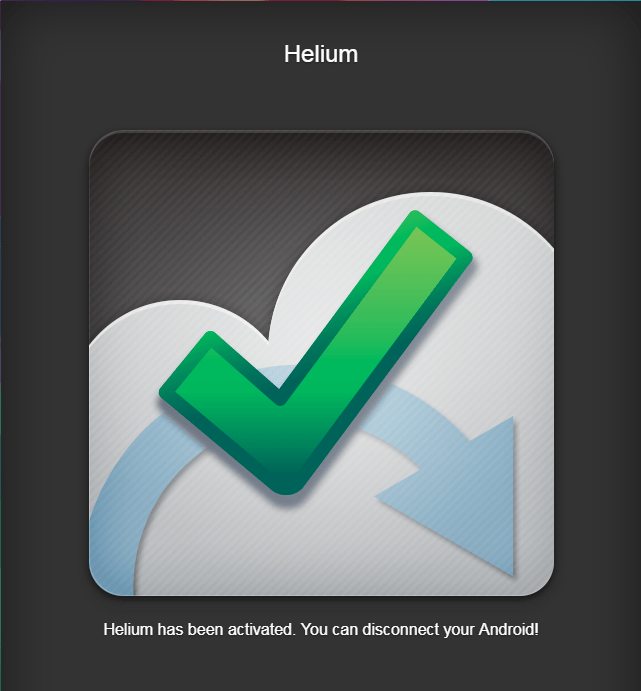
You can now disconnect your Android device (actually, you MUST disconnect it, or else weird things happen) 😉
After you’ve disconnected it, you will be presented with a screen similar to this.

Select the application(s) you want to backup and pull up on the green bar. You will be presented with this. As an added precaution, close the app you want to backup (from recent apps), and take care not to use the app being backed up while its being backed up (Don’t use any other apps while the backup is in progress either!)

Here, you can decide whether to back-up just the data or the whole app (including app data). This is totally your choice, but if your app is known to be not-so-backward-compatible, untick the “App Data Only” box (if you are unsure, backup the whole app). Once you decide, hit “Backup”. It will ask you where to save the backup. Select any of the options (internal preferred).

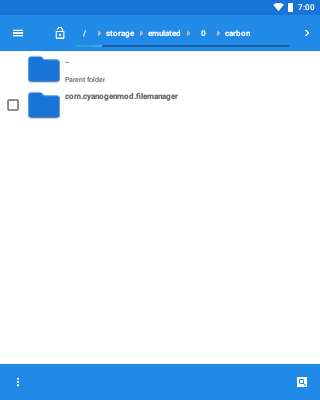
The time taken will depend on your hardware, amount of apps, weight of apps and what other tasks are running. When the backup is complete, the backup files will be saved in “/storage/emulated/0/carbon/” (Or in laymen speak Internal Storage > Carbon). If you want to move the backups to a different place, move/copy the entire “carbon” folder.
RESTORING APPS
You can restore any backups you take using Helium. Just place a previously created “carbon” folder on your internal storage (/storage/emulated/0/). Open Helium (you might have to go through the whole setting up thing again). Select Restore. Tick the apps you want to restore and click “Restore”.
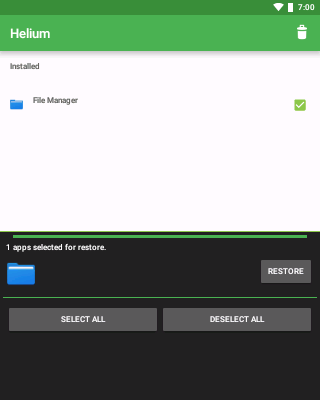
The process will take quite a bit of time. So, have a cookie 🙂
NOTES:
Restoring can be cross-device and cross-platform. For example, you can restore a backup taken on a phone running KitKat and restored on to a tablet running Peppermint (P). But chances of getting an app specifically made for ART Runtime (Any version above and including Lollipop) to run on an older device. In our tests we backed up the application Opera Mini from a Samsung device running KitKat and restored it on a Google Pixel running Android 8. The application worked without any problems. But when we tried to restore a backup of the Messaging app present in a Samsung (Android 8.0) onto a Pixel (Android 7.1), it fails spectacularly with a colorful boot screen and a whole load of errors.
In my experience, normal apps like games, social media apps (WhatsApp, Viber etc.) and other apps meant for the end-user should work fine. But system apps (often requiring hardware features to functions) will result in lethal consequences (Just a reboot and some other annoyances, nothing fancy like a bricked device. 😉 ).
I hope you can now easily back up your most precious data!

 Help Ahoy!
Normally I don’t read post on blogs, however I wish to say that this write-up very forced me to take a look at and do so! Your writing taste has been amazed me. Thank you, very great post.|
LikeLike
Thanks so much for providing individuals with an exceptionally memorable chance to read in detail from this website. It’s usually so useful and also full of fun for me and my office friends to search your website on the least 3 times in a week to study the fresh items you have. And lastly, we are usually motivated with your mind-boggling points served by you. Some 1 tips in this posting are certainly the most effective we have all ever had.
LikeLike
Great blog here! Also your web site loads up fast! What web host are you using? Can I get your affiliate link to your host? I wish my site loaded up as fast as yours lol
LikeLike
Hey There. I discovered your weblog the use of msn. This is a very smartly written article. I will be sure to bookmark it and return to learn more of your helpful information. Thanks for the post. I will definitely comeback.|
LikeLike
Oh my goodness! Incredible article dude! Many thanks, However I am having difficulties with your RSS. I don’t know the reason why I can’t subscribe to it. Is there anybody getting similar RSS problems? Anyone that knows the answer will you kindly respond? Thanks!!|
LikeLike
Thanks designed for sharing such a nice idea, article is good, thats why i have read it entirely|
LikeLike
Hi, I just looked at your site and really impressed by it’s design and content. You are doing an excellent job by providing such data to the world. Thank you so much.
LikeLike
I wanted to compose you a tiny note to give many thanks once again for the precious opinions you have featured at this time. It is simply incredibly open-handed with people like you to give without restraint exactly what a number of people would’ve offered for sale for an ebook to help with making some cash for themselves, even more so considering the fact that you might well have done it if you ever considered necessary. Those good ideas also acted like the easy way to be aware that someone else have the identical interest the same as my personal own to figure out great deal more in regard to this matter. I think there are some more enjoyable moments in the future for individuals who looked over your blog.
LikeLike
Oh man What would I tell? Really… really loved the contentThank you so much!
LikeLike
It’s fantastic that you are getting ideas from this piece of writing as well as from our argument made here.|
LikeLike
Hi just wanted to give you a quick heads up and let you know a few of the pictures aren’t loading properly. I’m not sure why but I think its a linking issue. I’ve tried it in two different web browsers and both show the same results.|
LikeLike