A lot of this site is dedicated to fixing problems in the Android OS. So when lots of users say that they have old computers OR that they only want to press around in the OS, we recommend stuff like Android x86. Yet some people fail to grasp even that (no offence) and start saying that they want just an emulator to run only a few apps (WhatsApp etc.). There is an emulator out there that’s meant to use only a few resources and run fast on many low-end computers.
YouWave for Android
Actually YouWave is not that appreciated ‘cause most people want emulators to play games and stuff. Thus it doesn’t show up in any top emulator charts. But for someone who just wants to press around, YouWave is great. YouWave comes in two variants; the paid Lollipop version and the free ICS version (Ice-Cream Sandwich). I’ll even go to the extent of giving the paid one’s download link for free! But the only problem is that the paid one is for 64-bit onlyL. That’s OK, here’s a guide to upgrading YouWave Android version. It’ll run on the lowest low-end machine with minimum specs of: Intel Pentium 4, 1GB RAM, OpenGL 2.0 and 2GB hard disk space. (You don’t need VT-x!).
YouWave is so user-friendly that you’ll have it up-and-running in no time! Firstly it doesn’t take too long to start like BlueStacks or so many other emulators! It boots up in under 20 seconds. It even lets you change the resolution and rotate the screen. But be warned that you should uninstall VirtualBox before installing YouWave.
I’ve also made a little care-package containing some helpful apps! |Care Package|. The care package contains the TouchWiz Launcher, S4 Settings, LuckyPatcher ICS, ES File Explorer, S4 Wallpapers, A guide to increasing RAM in YouWave, Device Control. To install the apps either put them in a folder and follow below note or use shared folder function.
Please note that installing APKs is done through clicking Path to Apps and selecting wherever you keep your APKs.
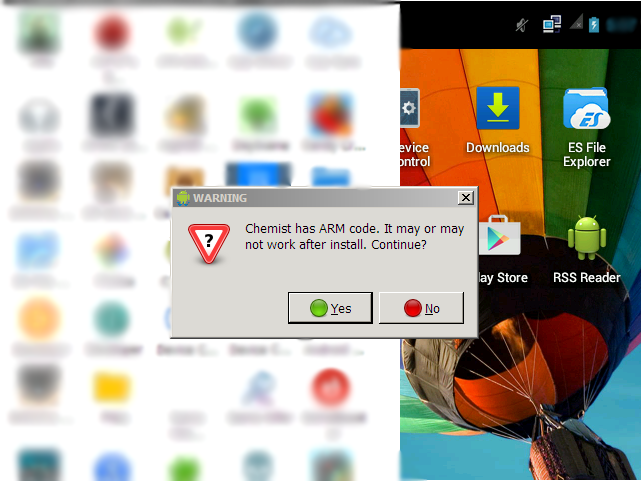
Also note that you can’t play ARM based apps without upgrading your android (as in above mentioned guide). It will show a warning massage saying that it’s ARM only!
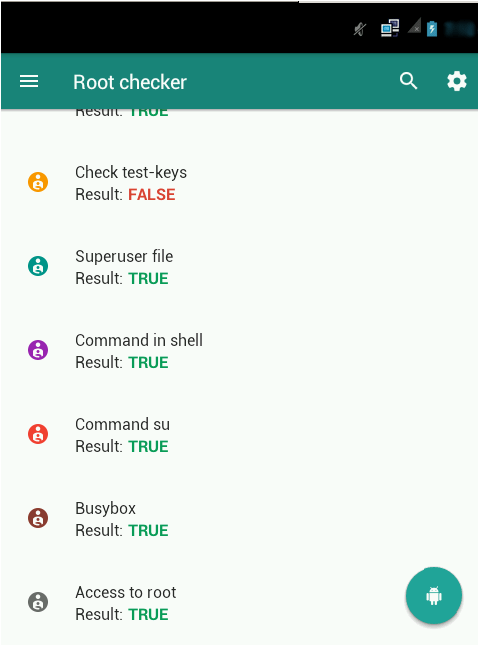
OOOh! And the best thing is? It’s got root access! Although it is pretty basic, you should get along pretty fine.
- The shared folder is in C:UsersPublic
Conclusion
YouWave is great for anyone who is an android enthusiast. Since it has all the features, and not at all laggy, it makes a great platform for testing that Desert! (Android is a desert. Get it?). It’s one of the best out there for low-end devices! The rest for low-end devices can be found Here.
You can read their general help by clicking Help > Instructions.
 Help Ahoy!
You must be logged in to post a comment.