As we mentioned in our earlier posts, one of the best Android emulators in the market, LeapDroid stopped support. Ever since then it has lagged updates and such, and now finally coming to complete uninstall-able standstill. We might have mentioned earlier, that LeapDroid joined Google and their installer became unusable. We found the best method to get LeapDroid up and running again. Without further ado, let’s begin.
As this guide requires a bit of extensive knowledge, I’ll be also telling you why we do certain things (so you can change them to your preference), and how it works (questions later!). Note: you don’t need VT-x (Virtualization) enabled/present.
First, learn the nature of the LeapDroid VM Container. LeapDroid used VirtualBox, customized the way they like it, as the Hypervisor. We will use this flaw to our advantage.
First you’ll require; 7Zip File Manager, the LeapDroid installer, VirtualBox, internet access, basic knowledge of ADB (Optional).
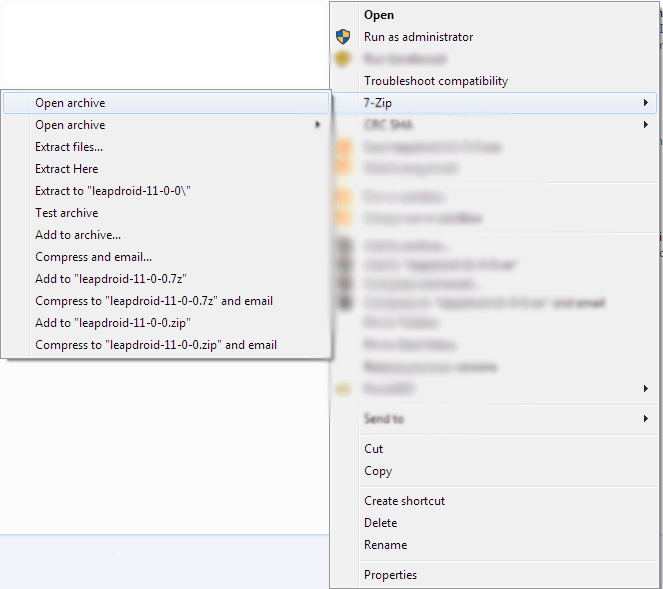
Get the LD (LeapDroid) installer and open it with 7Zip File manager; once you have 7zip installed you’ll get a context menu “7zip’. Right click LD installer > “7zip” > Open Archive.
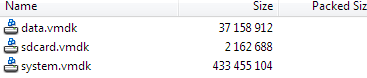
Then browse to the directory [/rom/]. Extract “data.vmdk, sdcard.vmdk, syatem.vmdk” and store them in an easy to reach directly.
Once all that’s done, configure a VM in VB. [Linux 2.4| 1024 (or more) RAM| No Virtual Hard Disk]
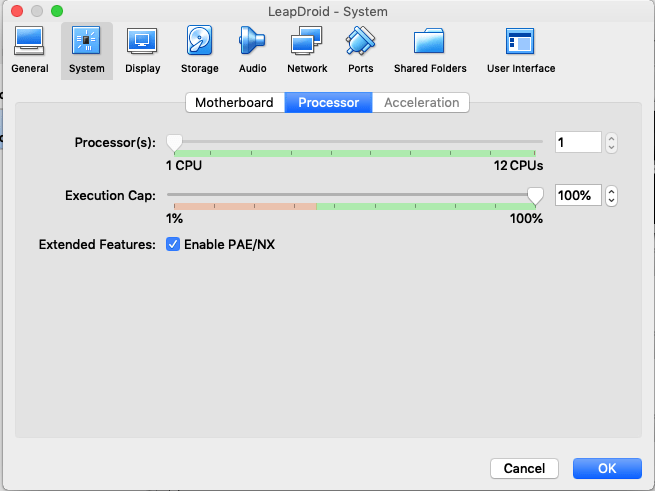
Next enter Settings [System > Processor > PAE/NX].
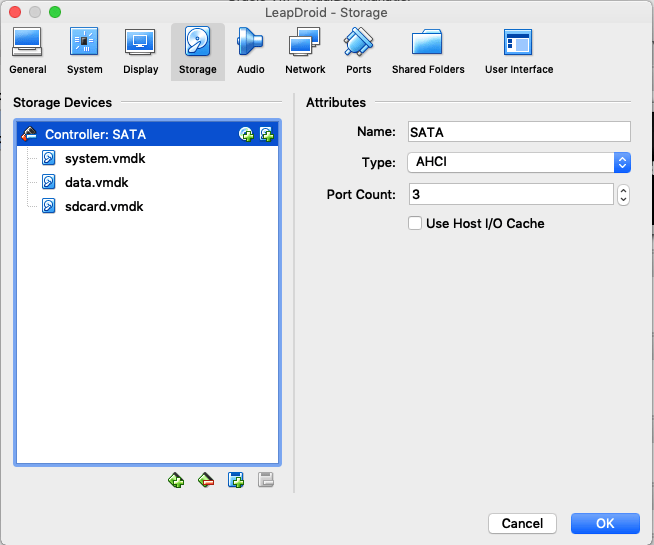
Then [Storage > add an SATA controller + USB Controller]. Attach the VMDK files in the following order [system.vmdk, data.vmdk, sdcard.vmdk].
Then [Display > set video memory to 64MB > 3D acceleration ON] Click OK.
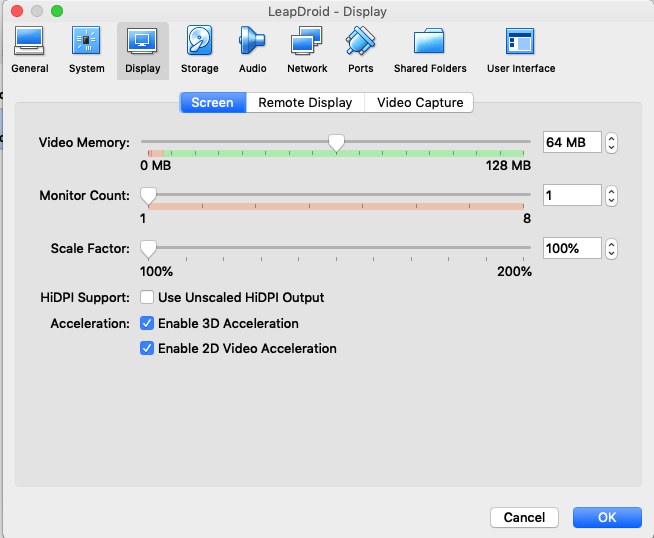
Click OK. And then click Start (green arrow above the main page of VB). If everything went well, you should be greeted by this screen and a black screen. The black screen after the following screens is completely NORMAL, it is not a defect.


You will then find yourself in the LeapDroid homescreen.
If you need to install apps, either use the PlayStore or use ADB to push APKs
Note: VBox Guest Additions is already installed in LeapDroid. This won’t work in VMware products.
 Help Ahoy!
You must be logged in to post a comment.