This is another simple step at which people get messed up. This tutorial is made for all those who want to hack InApp Purchases with LuckyPatcher.
Get the APK, install it, and if you have root access, grant it SU permissions (you technically don’t need Root for basic LP functions). This guide is written manly for non-root users although root users can follow the guide with a few tweaks here and there!
Click on an app that says “InApp Purchases found” in the LP main screen.
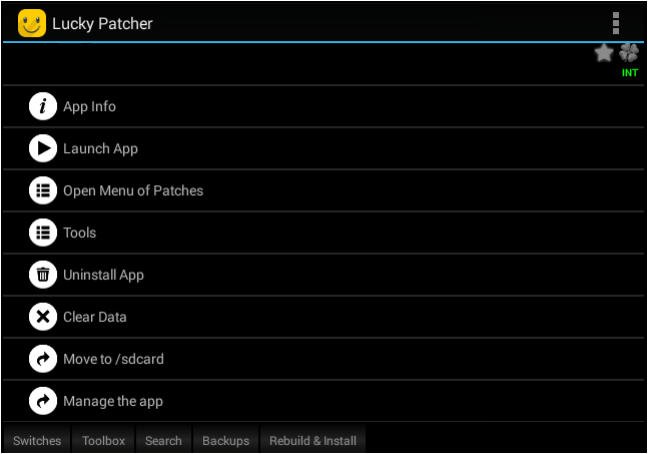
The click “Open Menu of Patches” you will be greeted by this screen or a single entry saying “Create Modified APK File”.
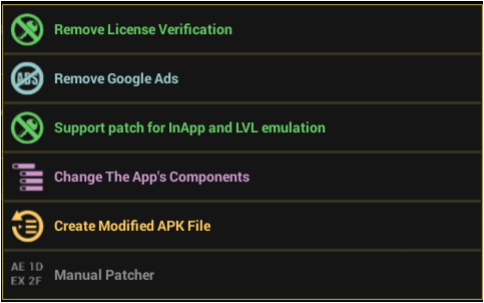
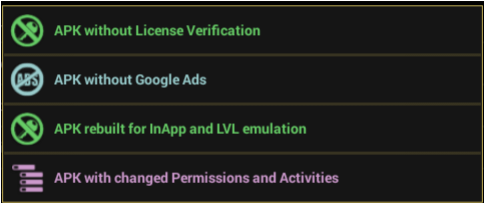
Click on that (Modified APK) and click “APK Rebuilt for InApp and LVL Emulation”.
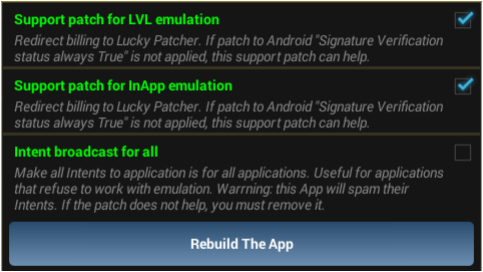
Then click on “Rebuild” in the next screen. Make certain that the first two entries are ticked.
It will take a varying amount of time as it rebuilds the app. Meanwhile you’ll see a “Please Wait” slogan on screen. When it is done, you will get a screen like the one below or just a screen telling you where the APK is.

If you don’t get an option to install the APK in the first screen, click “Rebuild and Install” in the bottom panel, and choose “Lucky Patcher”, then navigate to “Rebuilt” where you’ll find a rebuilt APK file. Note that you’ll have to uninstall the original app (the already installed one) in order to install the moded one.

Happy Patching 🙂
 Help Ahoy!
You must be logged in to post a comment.